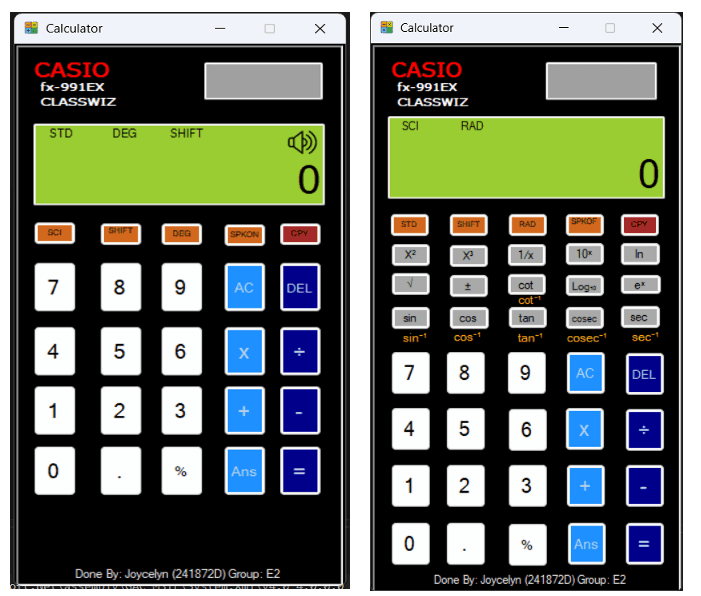
Calculator
This project involves developing a C# WinForms calculator that performs basic and advanced arithmetic, including trigonometric and logarithmic functions just like an improved version of the google calculator
Tools Used:


The Goal:
The primary objective of this project was to develop an enhanced Calculator Application using C# and the WinForm framework in Visual Studio. The goal was to build upon basic calculator logic to create a functional tool capable of handling both standard arithmetic and advanced scientific computations. Success was defined by meeting strict naming conventions, ensuring mathematical accuracy across binary and unary operations, and providing a seamless user experience through integrated keyboard and audio support.
Ideation:
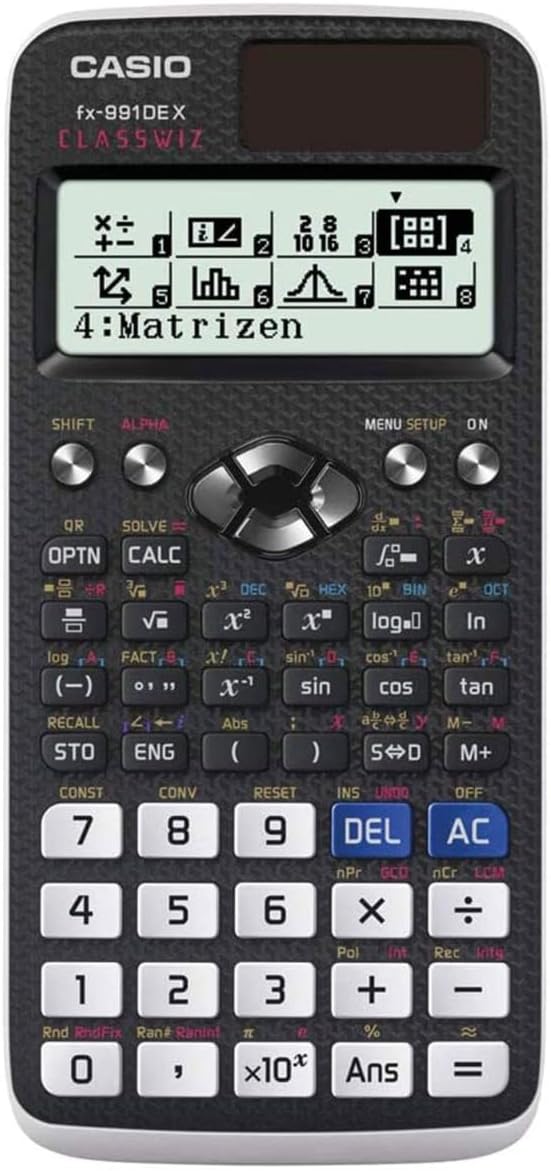
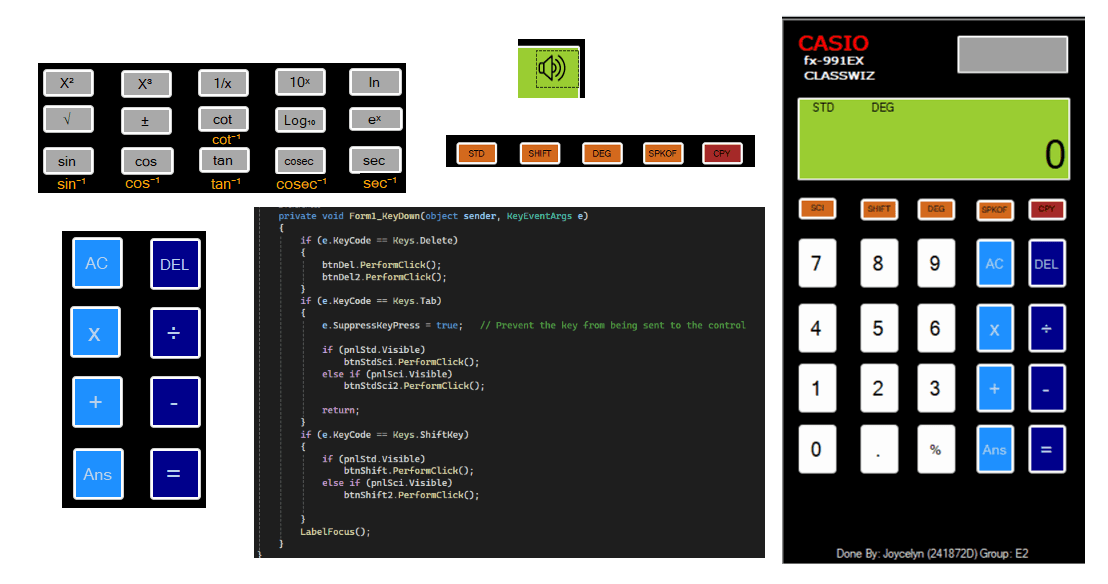
The ideation phase was started with the need to transform a simple four function calculator like the google calculator into a professional grade scientific tool that remains intuitive for the user. I began by researching the layout of physical scientific calculators, such as the CASIO fx-991DE X, to use as a reference to categorize functions like trigonometry, logarithms, and powers. I then tried to focuse on contextual visibility deciding which features should be visible at all times and which should be tucked away in a "Scientific" tab to save space which the online calculator does not have. I also brainstormed ways to make the digital experience feel more tactile, leading to the idea of adding special extra features other calculators would not have or provide.
Solution
The final solution is a robust C# WinForm application featuring a clean, realistic GUI with coordinated color schemes and category based button alignments. It incorporates a dynamic equation display that shows the full string of operations in a smaller, lighter font above the main result so that users are able to differentiate the equations. It also provides users with a clear history of their current calculation. In the end, these are some of the features showcased in my calculator project: Advanced Math Engine: A specialized Trigonometry suite supporting SIN, COS, and TAN, ensuring accuracy to 6 significant digits. Dual Mode Interface: A Tab Control system that toggles between a streamlined Standard Mode for daily tasks and a comprehensive Scientific Mode to save space. Smart Recall & Storage: Includes an ANS key to retrieve the previous result and a History Log listbox that tracks past equations, allowing users to hover and click to copy previous work back to the clipboard. Multimedia Feedback: An interactive audio toggle (SPK) that provides sound effects for button presses and annoucement of final answers . hard keyboard support: Allows users to swtich from mouse to keyboard by mapping physical numeric and operator keys to application.
Process
The Challenge:
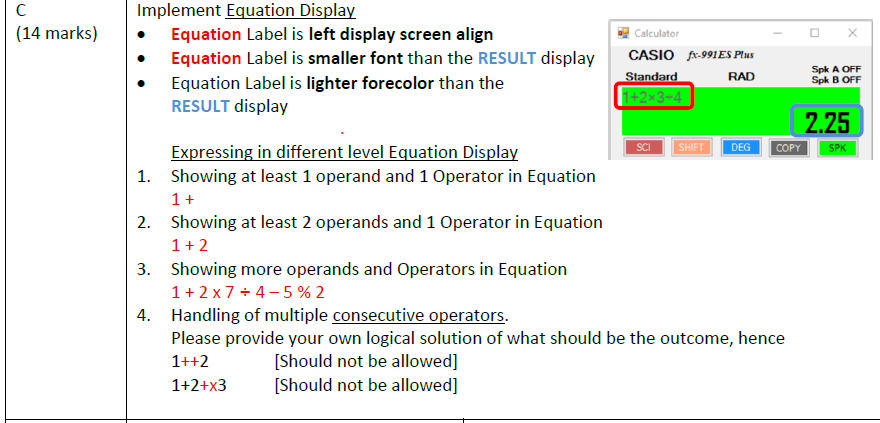
One of the most significant challenges was implementing the logic to prevent multiple consecutive operators, such as a user entering "1++2" or "1+2+x3," which would typically crash the calculation engine or lead to incorrect results. I had to develop a custom validation sequence to ensure only valid inputs reached the processor, effectively catching errors before they could occur. Another major hurdle was managing the Equation Display to show long, complex strings while maintaining correct operator precedence and associativity. Ensuring that unary operators updated the result immediately without the EQUAL key while binary operators required it demanded a sophisticated state management system within the code. Additionally, managing precision for floating-point results to consistently display exactly 6 significant digits required careful manipulation of the mathematical output strings to meet the strict testing requirements
The Result
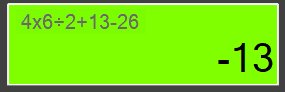
The project concluded with a high performance, precision verified application that successfully passed all twenty points of the official rigorous test sequence, including complex string evaluations like "10 / 2 x 5 + 6 - 1 = 30." The final product demonstrated a high level of technical polish, featuring a seamless hybrid input system where physical hardware keys and software triggers worked in perfect synchronization. Beyond the technical build, this project provided invaluable insights into the software development lifecycle; specifically, I learned the critical importance of Defensive Programming anticipating and catching invalid user inputs before they can cause system failure. Additionally, I mastered the art of Modular Development, discovering that building a solid foundation of basic arithmetic logic is essential before layering on advanced scientific features. In the end, the project success is defined not just by its mathematical accuracy, but by a robust user interface that remains stable under unconventional use.